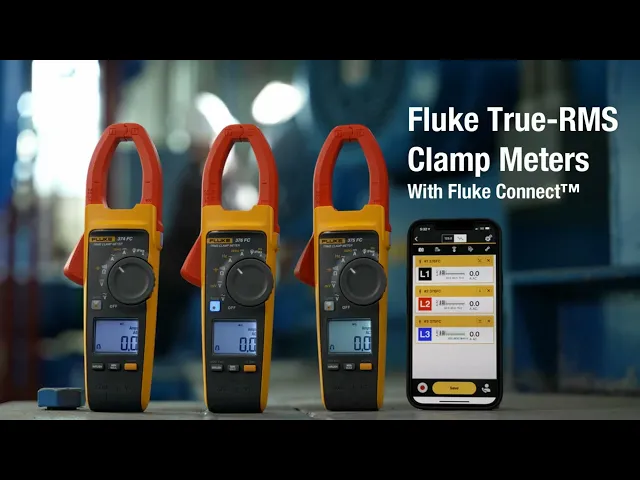
The Fluke Connect App: A Smarter Way to Manage Test Data
Keeping on top of test results is a significant challenge when measurements are scattered across different locations, tools, and teams. Paper notes, smartphone photos, and manual reporting often create bottlenecks for engineers. The Fluke Connect app provides a modernised, unified platform to capture, organise, and analyse measurement data in real time.
Built to integrate with over 100 compatible Fluke test instruments, this mobile and desktop solution allows engineers to spend less time on administration and more time solving critical equipment issues.
What Is the Fluke Connect App?
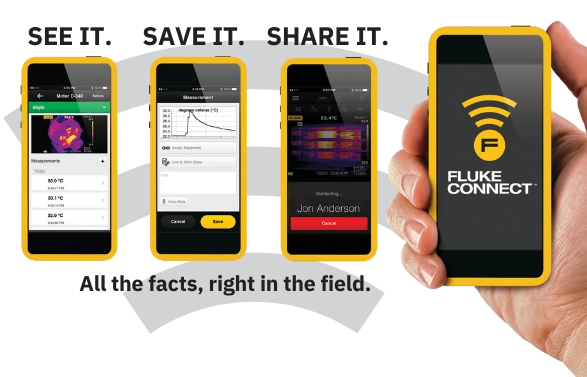
The Fluke Connect app is a wireless application that links compatible Fluke tools to a smartphone, tablet, or PC. Using Bluetooth® and Wi-Fi technology, measurements are transferred directly from the instrument to the app from distances of up to 20 metres.
With the app, readings are automatically time-stamped and stored digitally. This eliminates the need for handwritten logs, significantly reducing the risk of human error during manual data entry and ensuring a reliable “paper trail” for compliance.
Why Engineers Use Connected Measurement Apps
While single measurements provide a snapshot, trends and historical data offer the insight needed for long-term reliability. The Fluke Connect ecosystem allows teams to:
- View up to 6 live measurements simultaneously on a single screen.
- Store measurements securely with 5 GB of free cloud storage.
- Compare current readings against baseline historical data to spot anomalies.
- Support Predictive Maintenance by identifying early signs of failure before they cause downtime.
Wireless Tools and Enhanced Safety
Safety is perhaps the most critical benefit of connected tools. Using the Fluke Connect app, engineers can capture readings while standing safely outside the arc flash zone or away from moving machinery and high-temperature environments.
Once a tool is connected, the technician can re-energise a panel and monitor the results remotely. This minimises “exposure time” in hazardous areas while maintaining the highest level of data accuracy.
Asset-Based Organisation and Digital History
Finding specific test results is effortless when data is organised by Asset (e.g., Motors, HVAC units, or Distribution Panels). The app allows users to assign measurements to specific pieces of equipment, building a comprehensive digital health record.
Note: While basic measurement saving is free, advanced features like full historical trending and health dashboards are part of the Fluke Connect Assets subscription tier.
This asset-centric approach makes it easier to:
- Identify recurring “bad actor” equipment
- Track condition changes over several years
- Provide instant documentation for audits and safety inspections
Professional Reporting and Team Collaboration
Creating professional reports no longer requires a trip back to the office. Engineers can generate reports directly from the app, attaching thermal images, notes, and photos as proof of work.
Data can be shared instantly with off-site specialists or supervisors via ShareLive™ video calls or secure email. This enables real-time troubleshooting and faster decision-making without requiring every expert to be physically present on-site.
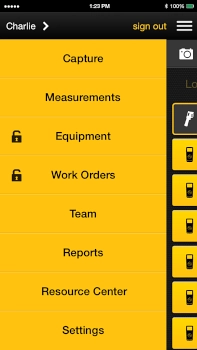
Select from the Fluke Connect Menu
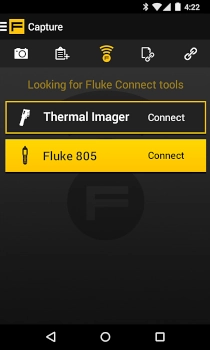
Select your Fluke Tool
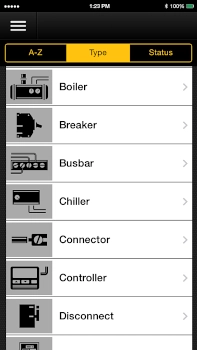
View your asset categories
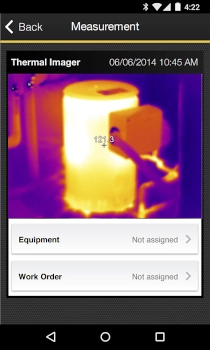
Recall and share thermal measurements
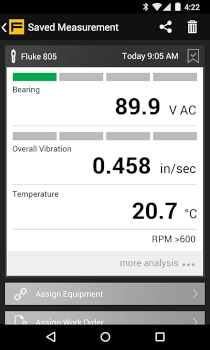
View a saved measurement
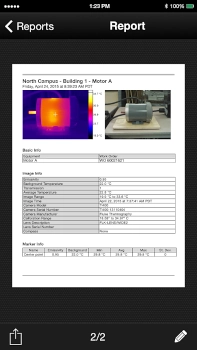
Create a report
Industrial-Grade Secure Cloud Storage
All measurement data is protected by industrial-grade security protocols, including AES 256-bit encryption and TLS 1.2. Only authorised users can access the cloud-based records, ensuring sensitive maintenance data remains confidential.
This cloud integration also allows for seamless syncing between field technicians and office-based reliability managers.
Who Is the App Designed For?
The Fluke Connect ecosystem is tailored for modern technical roles, including:
- Industrial Maintenance Engineers: Monitoring rotating machinery and drives.
- Electrical Contractors: Documenting installations and arc flash safety.
- Solar and EV Technicians: Using specialised tools like the SMFT-1000 to maximise energy yield.
- Reliability Specialists: Analysing vibration and thermal trends for predictive programmes.
Even teams using non-wireless tools can benefit by using the app to manually log data, ensuring all equipment information is housed in a single, searchable database.
Why a Connected Approach Is the Standard
By 2026, the transition from paper to “Connected Reliability” has become the industry standard. The Fluke Connect app turns raw numbers into actionable insights, fostering safer work environments and data-driven maintenance strategies.
🎬 Watch & Discover Fluke Connect: Power at Your Fingertips
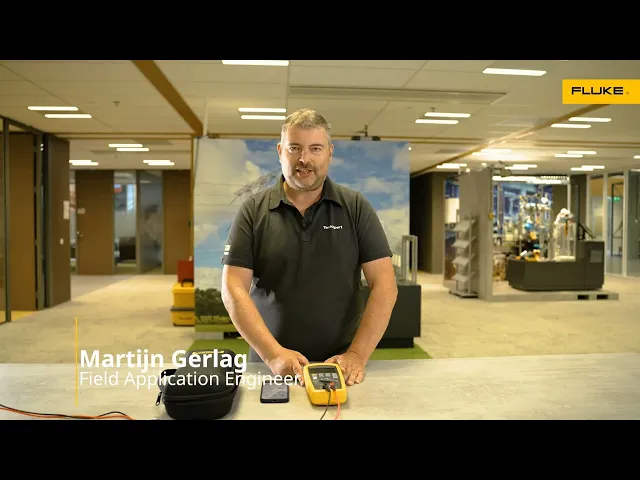
▶ Fluke Connect Made Simple with Fluke's Field Engineer, Martijn Gerlag
▶ Fluke Connect: A Must-Have for Solar Engineers

▶ Next-Level Clamp Metering with Fluke Connect